
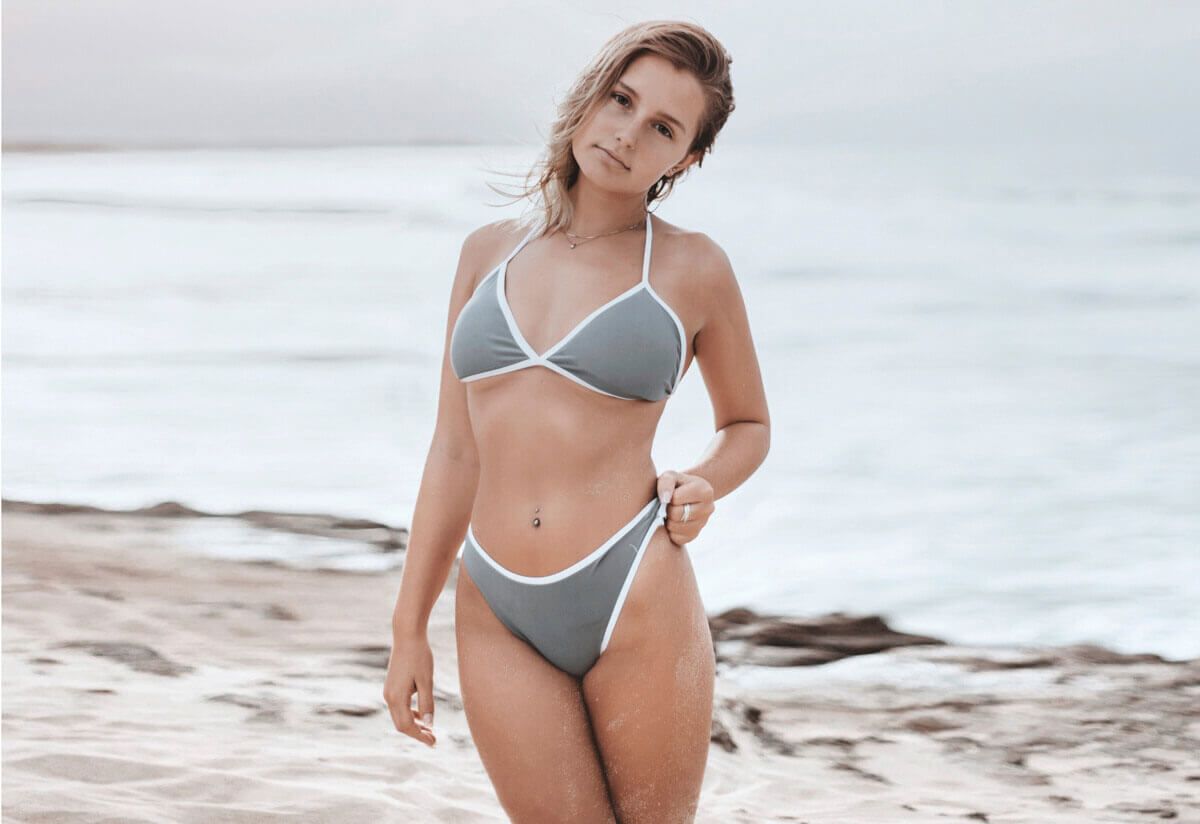
Body Reshaping Photo Retouching in Photoshop – Fast, Professional Beauty Edits
Body reshaping photo retouching in Photoshop has become an essential skill for photographers, retouchers, and content creators working in beauty, fashion, glamour, and portrait photography. Clients expect flattering, natural-looking enhancements—and they expect them delivered quickly. That’s why I created a dedicated collection of Photoshop body reshaping tutorials that demonstrate how professional-quality edits can be completed in just minutes.
On my Body Reshaping and Retouching page, I showcase the same real-world Photoshop techniques I use for client work. These methods are not overcomplicated or time-consuming. Instead, they focus on efficiency, precision, and subtlety—ensuring the final image looks polished, realistic, and professionally retouched.

Title: Wedding body reshaping retouching
InformationThis body reshaping examples was used in a featured article in Australia https://www.news.com.au/
Why Speed Matters in Body Reshaping Retouching
One of the biggest myths about body reshaping in Photoshop is that it takes hours to do properly. In reality, once you understand the right tools and workflow—Liquify, Warp, masking, and proportional adjustments—most edits can be completed very quickly. My Photoshop tutorials are designed specifically to help photographers speed up their retouching process without sacrificing quality.
Fast body reshaping is especially important for:
-
Beauty and glamour photography
-
Model portfolios
-
Social media imagery
-
Commercial photography
-
Client-based retouching work
Learning how to work efficiently allows you to take on more projects while delivering consistent, high-end results.
Featured Photoshop Body Reshaping Tutorials
To make learning accessible and practical, I’ve created a series of step-by-step YouTube Photoshop tutorials that show complete edits from start to finish.
How to Remove a Double Chin in Photoshop
This tutorial demonstrates a fast, natural method for removing or reducing a double chin without damaging skin texture or facial structure. The technique is ideal for portraits and beauty photography and takes only a few minutes to complete while maintaining realistic results.
How to Do a Body Reshape Beauty Retouch
In this beauty retouching tutorial, I show how to reshape the body subtly and professionally—enhancing curves, refining proportions, and improving overall balance. This workflow is perfect for fashion, glamour, and fitness photography and avoids the exaggerated look that often results from over-editing.
How to Enlarge Breasts in Photoshop
This has become one of my most popular Photoshop tutorials, receiving nearly 23,000 views. The video shows how to enlarge breasts naturally and proportionally, avoiding common mistakes that make edits look unrealistic. The strong viewer response highlights just how in-demand body reshaping retouching skills are within the photography and retouching community.
Enjoying the Process of Teaching and Creating
I genuinely enjoy sharing my Photoshop retouching skills through video tutorials. Teaching allows me to pass on years of professional experience in a clear, structured, and practical way. I also bring my video production skills into every tutorial, ensuring high-quality visuals, smooth pacing, and easy-to-follow explanations.
Well-produced tutorials make learning faster and more enjoyable—and that’s exactly what I aim to deliver with every video.
Learn Professional Body Reshaping Techniques Faster
If you want to master body reshaping photo retouching in Photoshop without wasting time on unnecessary steps, these tutorials are designed to help you work smarter and faster. Visit my Body Reshaping and Retouching page to explore examples of professional results and learn techniques you can immediately apply to your own images.


